Minutes
Any call, written down.
No bot joins the call.
The audio never leaves your Mac.
Minutes needs macOS 26 on a Mac with Apple silicon.


Record. Stop. Press Add.
Only the last step asks anything of you.

Both sides of any call.
It works in Zoom, Meet, Teams or FaceTime. Your voice and theirs, kept apart.

It hears French. And Arabic.
Add the multilingual engine once. It runs on your Mac.


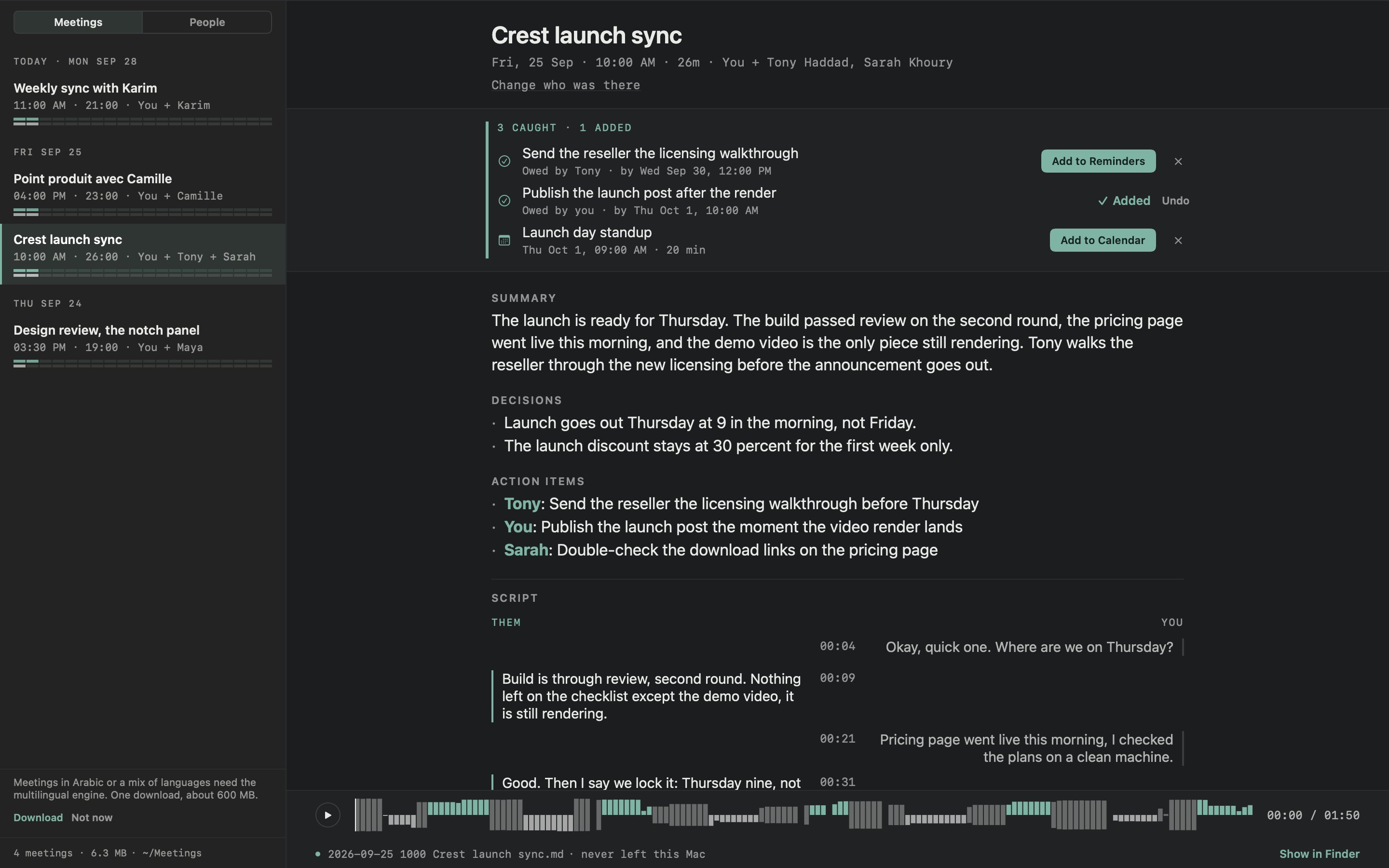
Here it is with French and English in one meeting.
Every meeting. Everyone in it.
Find a call by its day, or by who was on it.


Meetings are listed newest first, and each one shows when you and they spoke.
There is no server.
So there is nothing to trust us about.

What goes online: your sign-in, the free week or a purchase, a licence check every few days, updates, and the language engine if you ask for it. None of it carries audio, a transcript, a note or a file name.
A folder of Markdown you own.
There is no database, no export and no lock-in.
Stop using Minutes, and every note still opens.
Your review goes here.
Good or bad, we read each one before it goes up.
Buy Minutes once.
You pay once, and Minutes is yours for good on 2 Macs.
Try Minutes
- Everything, unlocked
- The multilingual engine, if you want it
- Plain Markdown from the first meeting
- Sign in inside Minutes to start the week
Minutes needs macOS 26 on a Mac with Apple silicon.
Minutes
- The whole notetaker, unlocked
- Yours for good on 2 Macs
- The multilingual engine, if you want it
- Plain Markdown notes you keep
Minutes needs macOS 26 on a Mac with Apple silicon.
Two Macs per licence.Prices in USD. Prices include tax, except Cloud in the US and Canada, where tax is added at checkout.7-day refunds.Card, PayPal, Apple Pay, Google Pay or crypto.Everything you own lives at your account.
The details, if you want them.
Minutes against the cloud notetakers
The popular AI note takers are cloud services: they upload your meeting to their servers, bill you every month, and keep your notes in their app. Minutes took the other road on every row.
| Feature | Minutes | Granola | Otter | Fireflies |
|---|---|---|---|---|
| Price | $9.99 once | Monthly subscription | Free 300 min, then $8.33 to $30 per user per month | Free, or $10 to $39 per seat per month |
| On-device transcription | Yes | Cloud | Cloud | Cloud |
| Works fully offline | Yes | No | No | No |
| Audio never uploaded | Yes | Uploaded, then deleted | No | No |
| No bot joins your meeting | Yes | Yes | Optional | Bot joins |
| Plain Markdown you own | Yes | In their app | In their app | In their app |
| Action items into Apple Calendar and Reminders | Yes | No | No | No |
| Your meetings readable without their servers | Yes | No | No | No |
Published by the makers of Minutes. The marks reflect each service's own documentation, privacy policy and pricing page as of July 2026. Competitor names are the property of their owners. The longer Granola comparison, vs Otter.ai, vs Fathom, vs Fireflies.ai, vs tl;dv, vs Notion AI, vs Apple's built-in recording, Private, on-device notes, Local AI note takers, compared, Best Mac meeting notes apps in 2026.
Questions
- Does anything leave my Mac?
- No. Recording, transcription and summarization all run on your Mac using the models that ship inside macOS. There is no server to send audio to. You can disconnect from the internet during a meeting and everything still works.
- How does it hear the other person?
- It taps the audio your meeting app plays, digitally, rather than listening through a speaker, so their side arrives clean whether you wear headphones or not. On a speaker call their voice also carries back into your microphone. Minutes measures that echo, subtracts it, and re-reads your own channel before it writes the transcript, so their words do not end up under your name. Headphones are still the cleanest separation, and when an echo could not be taken out, Minutes says so as it finishes.
- Which Macs does Minutes run on?
- Minutes needs macOS 26 or later on Apple Silicon. That is not an arbitrary floor: the transcription and summarization models ship inside that version of the OS, which is exactly why there is nothing to download for English and nothing to upload. Summaries use Apple Intelligence, so turn it on in System Settings; recording and transcripts work without it.
- What languages does it understand?
- English out of the box, with Apple's speech engine. Install the multilingual engine from Settings, a one-time download of about 600 MB, and saved transcripts also hear Arabic, French, and meetings that switch language mid-sentence. The engine runs entirely on your Mac.
- Where do my notes live?
- They live in one folder of plain Markdown files that you own and can open in any editor. There is no database and no export step. If you stop using Minutes, every note still opens.
- Can I try it first?
- Yes, 7 days with everything unlocked and no card. The download needs no account: sign in inside Minutes to start the week.
- Can I buy Minutes on its own?
- Yes. Minutes is sold on its own: $9.99 once, yours for good on 2 Macs. It does not include Crest or Take, and you do not need either of them to use it. Minutes needs macOS 26 on a Mac with Apple silicon.
- Do I have to tell people I am recording?
- That is your call and your local law's. Minutes is built so it is easy to be honest: the recording indicator stays visible the whole time, and it never starts a recording on its own.
How it works, in detail
- Any call, both sides
- Minutes records Zoom, Meet, Teams, FaceTime or anything that plays sound, as host or guest, with your microphone on one channel and the call on another. It works with headphones too: with AirPods or other Bluetooth headphones, Minutes records from the Mac's own mic so the headphones keep full sound.
- Press Record. Then forget it.
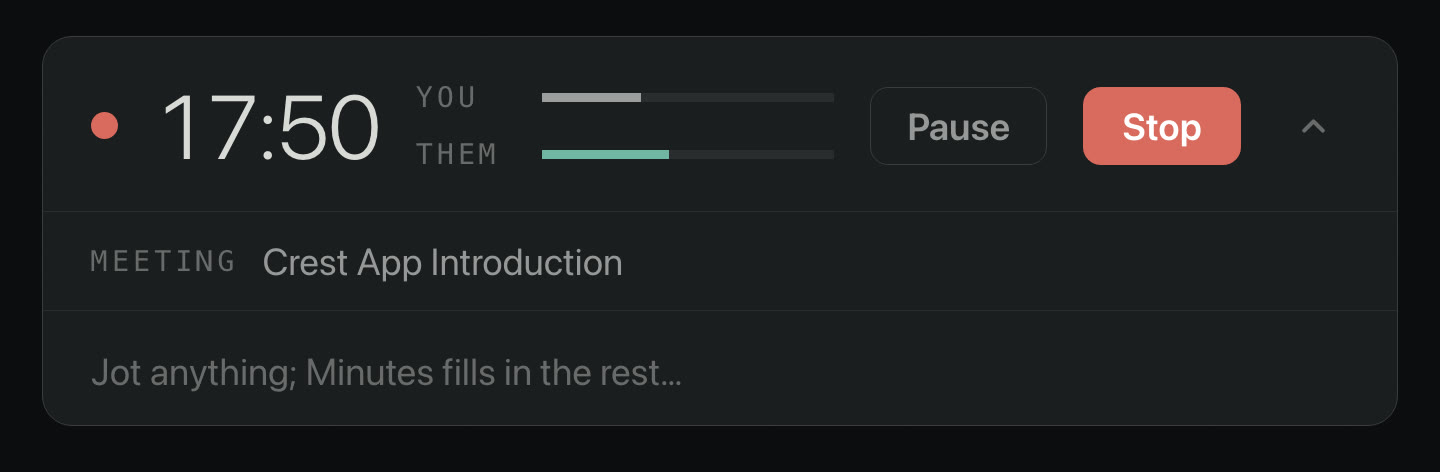
- While the call runs, Minutes shows the elapsed time, a level for you and a level for them, and one line to jot in. There is no transcript scrolling past your face and no robot announcing itself to the other side. If a call app grabs your microphone, Minutes switches to the same shared audio path the call is using, so your voice comes through at full strength with the room echo already cancelled. It does this by itself, within seconds.
- Stop, and the minutes are written here.
- The transcript, the summary, the decisions and the action items are written on your Mac by the models inside macOS. Every decision and action item has to come with words that were actually said, or it is left out, and both sides are kept apart by channel. On a speaker call, where their voice carries back into your microphone, Minutes subtracts the echo and re-reads your channel, so nobody's words land under the wrong name. The meeting takes its name and its attendees from your calendar. Pull the network cable halfway through and it still finishes.
- It catches the promise. You decide.
- Say "I'll send it Monday" on a call and Minutes catches it: a reminder, due on the day that was said. "Thursday at ten" becomes a calendar event. Each one waits with an Add button. Nothing is written to Calendar or Reminders until you press Add. Dismiss means it never comes back. If the meeting gets moved later in the same call, the pending card updates instead of leaving you with the wrong time. Fully automatic adding is a setting, and it is off until you turn it on.
The privacy claim, stated exactly
Audio is written to your disk. The transcript is produced by macOS on your Mac. The summary is written by a model that ships inside the operating system. None of it is sent anywhere, online or off, and there is no setting to get wrong.
- Network calls
- Minutes goes online to sign you in, start the free week or a purchase, check the licence every few days and look for a new version, and to download the multilingual engine if you ask for it. Update checks carry an anonymous install count, which you can turn off. None of it carries audio, a transcript, a note or a file name.
- Accounts
- Your meetings need none, and neither does the download. You sign in only to start the free week or to unlock what you bought, and that account holds the licence, nothing else.
- Languages
- The optional multilingual engine is a one-time download of about 600 MB. After that it runs offline too.
- The test
- Unplug the network before a meeting, record it, and read the minutes afterwards. "never left this Mac" is what the footer of every note says, and it is literally true.
Every service the apps reach is listed on the privacy page.
Where it all lands
There is no database, no export and no lock-in. Every meeting is one .md file with the summary, the decisions, the catches and the transcript inside it. If you stop using Minutes, every note still opens.
- Named by your calendar, not Recording 47
- Start a recording in Minutes during a calendar event and it takes the meeting's name and lists who was there. The attendees' names also help the transcriber spell them.
- A date spine
- Meetings sit under dated headers, newest first, and in the default look each row shows when you and they spoke. Search by meeting, person or word.
- Three ways to read a meeting
- Minutes has three looks, called Two Lanes, The Record and The Desk, and each one lays out the same meeting in its own way. You can switch any time in Settings, and your files never change.
- Arabic, French, English, mixed
- Install the multilingual engine once and saved transcripts hear meetings that switch language mid-sentence, picking the language by themselves, on this Mac.
- Your words, spelled your way
- Type the names and terms your meetings contain and the transcriber takes them as hints, along with the names in your calendar and in your own notes.
- If you run Crest
- When Crest is on your Mac, Minutes can send a finished meeting's name and summary to Crest's Notes. No sync, no second account: the two apps talk on your Mac. Crest can also start, pause and stop a recording from the notch. Minutes works on its own without it.
Tech specs
- Works on
- macOS 26 or later on Apple Silicon. The transcription and summary models ship inside that version of macOS. Summaries and catches use Apple Intelligence; recording and transcripts work without it.
- Languages
- English out of the box. The multilingual engine, one download of about 600 MB, adds Arabic, French and mixed meetings to saved transcripts.
- Your notes
- Plain Markdown files in a folder you own, one per meeting, with its audio beside it.
- Price
- Minutes is $9.99 once, yours for good on 2 Macs. It is sold on its own and does not include Crest or Take. Prices include tax, except Cloud in the US and Canada, where tax is added at checkout.
- Install
- Signed and notarized by Apple. What changed in the last release.
- Pictures
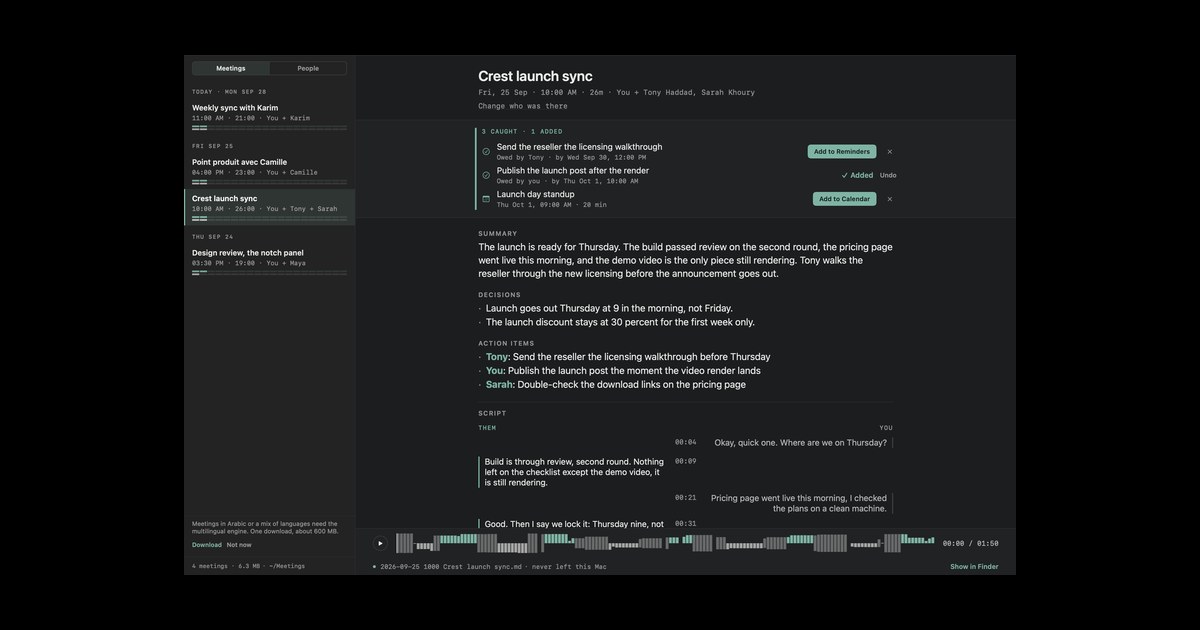
- A finished meeting, full size, and a finished note. From July, before the Minutes 2 design: the recording strip.