Private, on-device meeting notes for Mac
Most meeting notetakers are cloud services: they upload your call to a server, keep it in their app, and bill you every month. We built Minutes to do the opposite, as a native Mac app. It records, transcribes and summarizes entirely on your Mac, saves plain files you own, and works with the network unplugged. Nothing about your meeting leaves the machine.

Minutes needs macOS 26 on a Mac with Apple silicon. 7-day trial, no card.
Last updated: July 2026
This page is published by the makers of Minutes, part of the Crest suite.
Stated plainly, because it is the whole reason this works: Minutes requires macOS 26 or later on an Apple Silicon Mac. There is no Intel build and no older-macOS build. The on-device transcription and summaries depend on frameworks that ship only with macOS 26, so this is a hard floor, not a preference.
What "on-device" actually means here
On-device is a phrase that gets stretched, so here is exactly what it means for Minutes, with nothing hidden:
- Recording is local. Minutes captures both sides of the call, your microphone and the other side's system audio, straight to your disk.
- Transcription is local. Apple's SpeechAnalyzer turns the audio into text right on your Mac, as you go, with no model to download for English.
- Summaries are local. Apple's FoundationModels write the summary and read the meeting for action items, also on your Mac.
- No cloud account, no API key. Your notes are not in any account and there is no key to paste, so there is nothing to sync and nothing to leak. You sign in once, inside the app, only to start the trial or unlock what you bought.
- Offline after activation. You need the internet once, to activate the license. After that you can unplug the network and every part of Minutes still works, because none of it needs a server.
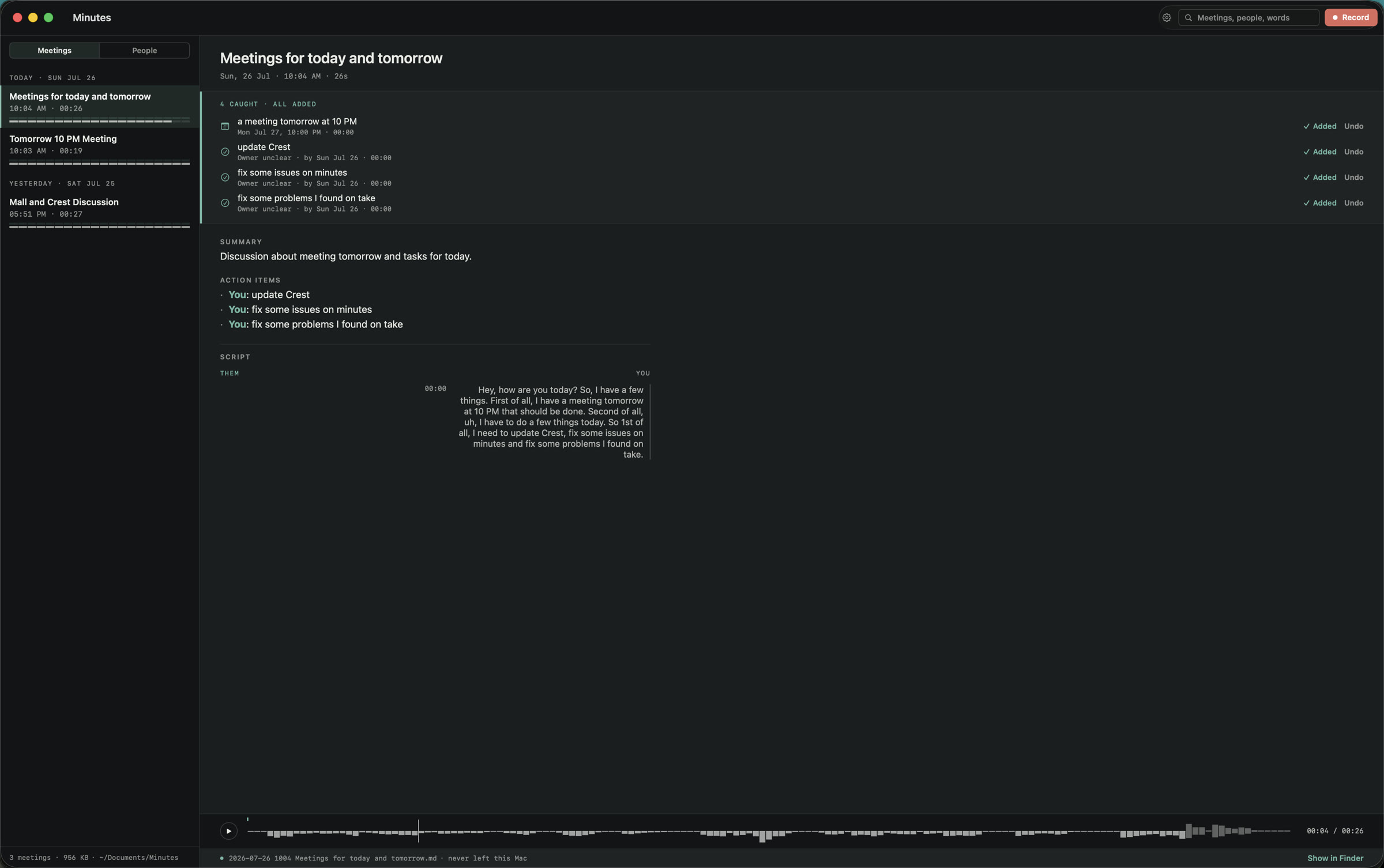
This is a real Minutes note, with its catches, its summary and a transcript that keeps your side and their side apart, all on your Mac.
The cloud notetakers, and where your data goes
The popular alternatives are all cloud SaaS on a subscription, and each one needs an account. The privacy trade is the same in every case: your meeting has to reach their servers to be useful.
- Granola captures audio on your Mac, then sends the transcript and notes to its cloud to process and store them; the audio is uploaded for transcription and then deleted. It runs on a monthly subscription and requires an account.
- Otter.ai is cloud-only: every recording is uploaded to its servers, an account is required, and it runs on a subscription, around $16.99 per month for Pro.
- Fireflies.ai sends a bot to join your call, stores the recording and transcript in its cloud, requires an account, and bills per seat on a subscription.
It is the wrong design for a meeting that must not leave your machine, and that is the meeting we built Minutes for.
Side by side: Minutes vs the cloud tools
Here is how they split on the rows that decide privacy and ownership:
| Feature | Minutes | Granola | Otter | Fireflies |
|---|---|---|---|---|
| On-device transcription | ||||
| Works fully offline | ||||
| Audio never uploaded | ||||
| No cloud account holds your notes | ||||
| One-time purchase, no subscription required | ||||
| Plain Markdown you own | ||||
| Action items to Apple Calendar and Reminders |
or buy Minutes, $9.99 once · Minutes needs macOS 26 on a Mac with Apple silicon
Only Minutes keeps every one of these on your machine. Each cloud tool gives up at least one of these rows.
Files you own, not a database you rent
Privacy is not only about the network. It is also about whether you can walk away with your notes. In Minutes, every meeting is written as plain Markdown next to its audio, in a folder you choose. You can read it in any text editor, search it with any tool, point it at Obsidian, drop it into a git repo, or back it up like any other files. A People index gathers who was in which meeting. There is no proprietary database, no export step, and no lock-in. The cloud tools keep your notes inside their app, which means your history lives on someone else's server for as long as you keep paying.
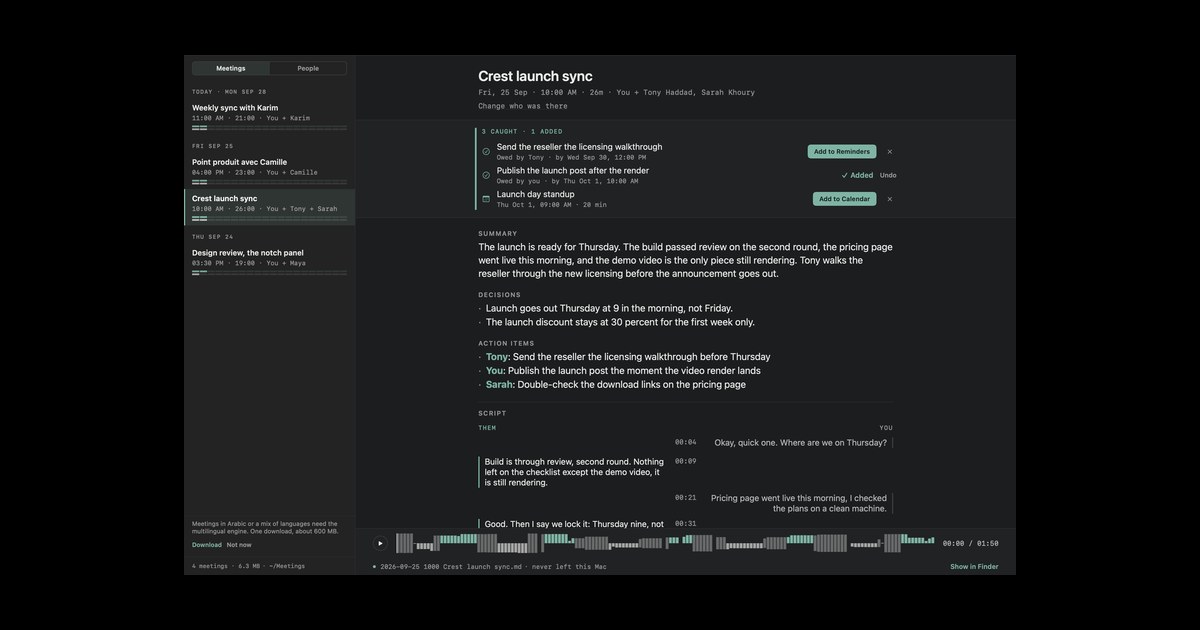
These are the action items Minutes caught, waiting for you to review them before anything is added to Calendar or Reminders.
The requirement, stated plainly: macOS 26 or later on Apple Silicon
Minutes only runs on macOS 26 or later on an Apple Silicon Mac. There is no Intel build and no build for older macOS versions. The reason is the same reason it can be fully private: it transcribes with Apple's SpeechAnalyzer and summarizes with Apple's FoundationModels, and those frameworks ship only with macOS 26. That is also why there is no model to download for English: the intelligence is already on your Mac. If you are on an older macOS or an Intel Mac, Minutes will not run for you today, and we would rather you know that before you buy.
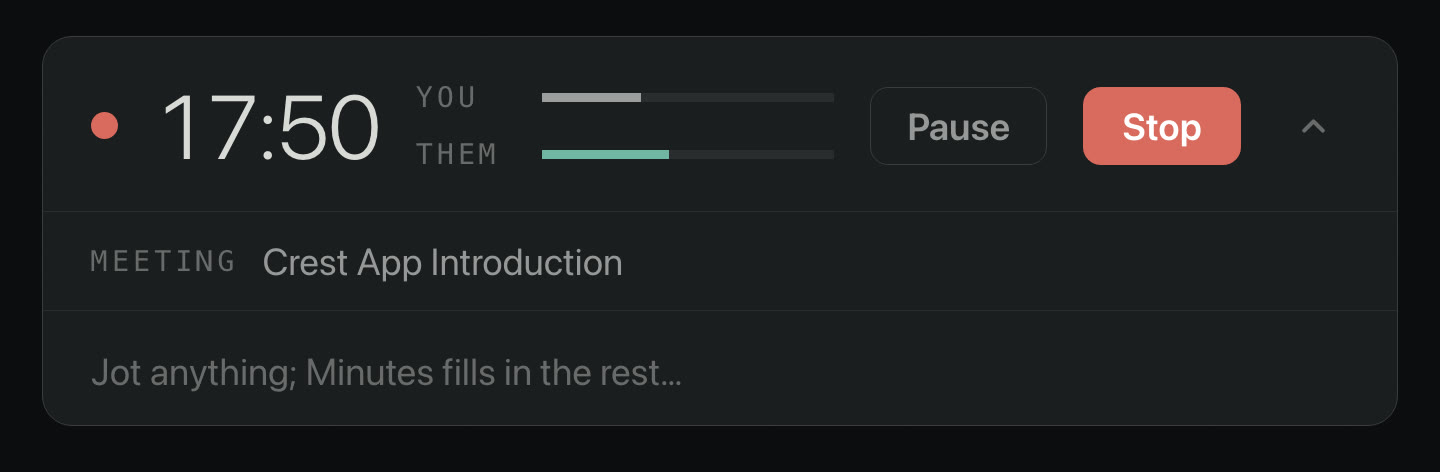
This is Minutes while it records. The indicator stays visible the whole time, so nobody is recorded without knowing.
Who this is for
Minutes is for the person who takes meetings that should not sit on someone else's server: legal, medical, HR, founder and investor calls, therapy and coaching, journalism, anything under an NDA. If that is you, and you are on macOS 26 or later with Apple Silicon, you get real notes, on-device transcription and summaries, and plain files you own, for one payment, with nothing uploaded. See how Minutes works.
FAQ
Are meeting notes in Minutes actually private?
Yes. Minutes records, transcribes and summarizes entirely on your Mac. The audio, the transcript and the summary never leave the machine, no account holds your notes and there is no API key to paste. The cloud notetakers, Granola, Otter and Fireflies, all upload your meeting to their servers to process and store it.
Does Minutes work without an internet connection?
Yes. You need the internet once, to activate your license. After that you can unplug the network and Minutes keeps recording, transcribing and summarizing, because the models run on your Mac. The cloud tools stop working the moment you go offline.
How is Minutes different from Granola, Otter and Fireflies?
Those three are cloud services: each one uploads your recording or transcript to its servers, requires an account, and bills you every month. Minutes runs on your Mac, is a one-time purchase, keeps no account of your notes, and writes plain Markdown you own. The whole difference is where your meeting lives.
What Macs does Minutes need?
Minutes requires macOS 26 or later on an Apple Silicon Mac. It transcribes with Apple's on-device SpeechAnalyzer and summarizes with Apple's on-device FoundationModels, and those frameworks ship only with macOS 26. That is also why there is no model to download for English: the intelligence is already on your Mac.
Where are my meeting notes stored?
They are stored in a plain folder you choose. Every meeting is Markdown plus its audio, in an open format you can read, search, back up, or point at Obsidian or git. There is no proprietary database, no cloud, and no lock-in.
Keep every meeting on your Mac
Minutes records both sides of the call, transcribes and summarizes it on device, and saves plain Markdown you own, with no cloud and nothing to sync, and it works offline. It is $9.99 once, yours for good on 2 Macs.
Minutes needs macOS 26 on a Mac with Apple silicon. Minutes is $9.99 once, with a 7-day trial first.
Keep reading: Best Mac meeting notes apps in 2026 · vs Granola · vs Otter.ai · vs Fathom · vs Fireflies.ai · vs tl;dv · vs Notion AI · vs Apple's built-in recording · Notes without a bot · Local AI note takers · Record a call on a Mac · For lawyers · For therapists · For sales calls · Minutes overview